How to Create an AI Version of Yourself
That Can Create Content Without You Filming Every Video
A complete walkthrough of the system I use to build a visual clone, clone my voice, create talking avatar videos, and produce content without touching a camera.
By the end of this guide, you'll understand how to build
This guide teaches the framework. The exact prompts, settings, templates, and implementation details are included in the AI Clone Starter Kit.
Scroll down to get the full Blueprint ↓
What you'll need to gather first.
The more accurately you document yourself before starting, the more accurate your clone will be.
📸 Face Photos
🧍 Body Photos
✨ Distinctive Features
The more accurately you document yourself, the more accurate your clone will be. If applicable, photograph every distinctive feature — these are what make your clone look like you rather than a generic AI face.
The 9-Step System.
Every phase, explained — exactly what to do and why it matters.
Foundation
Create Your Identity Foundation
Goal — create a complete visual reference of yourself
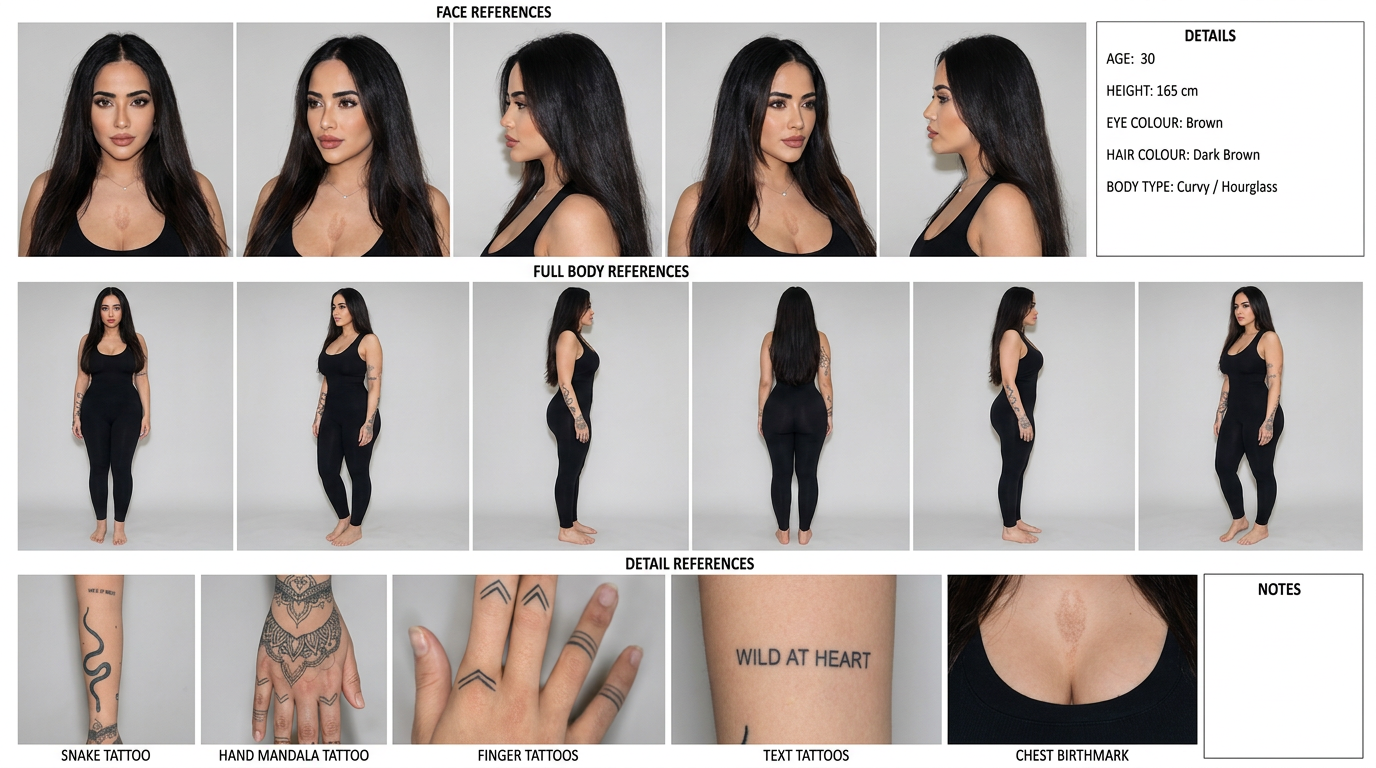
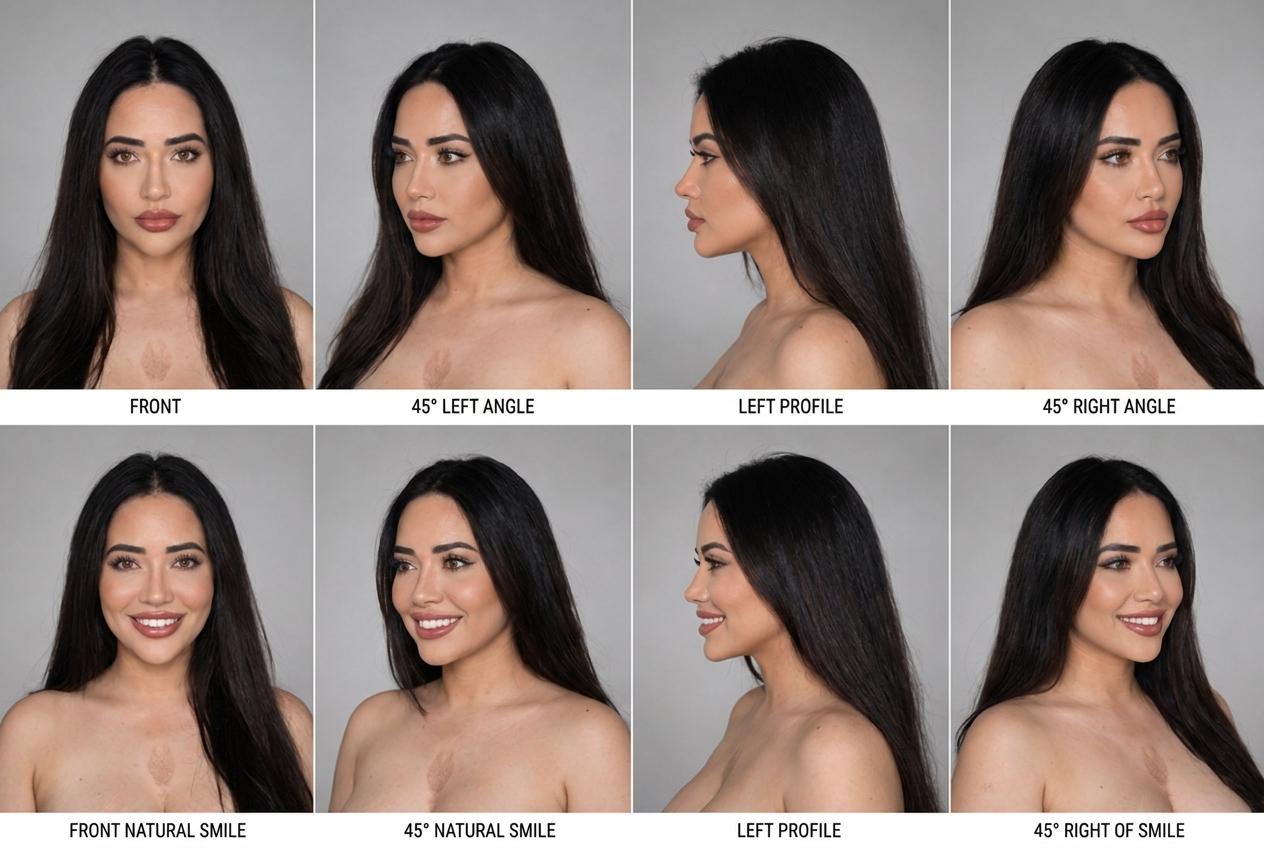
Think of this as creating a digital blueprint of your appearance. Using your photos, generate reference images that cover every angle: front view, left and right profiles, 45-degree angles, full-body front, side and back views, plus smiling and neutral versions. This becomes the anchor the AI locks onto for every future generation.
Most AI clones fail because the AI never properly learns what the person actually looks like. This stage creates the consistency that everything else depends on.
Generation
Create High Accuracy Portraits
Goal — generate portraits that consistently resemble you
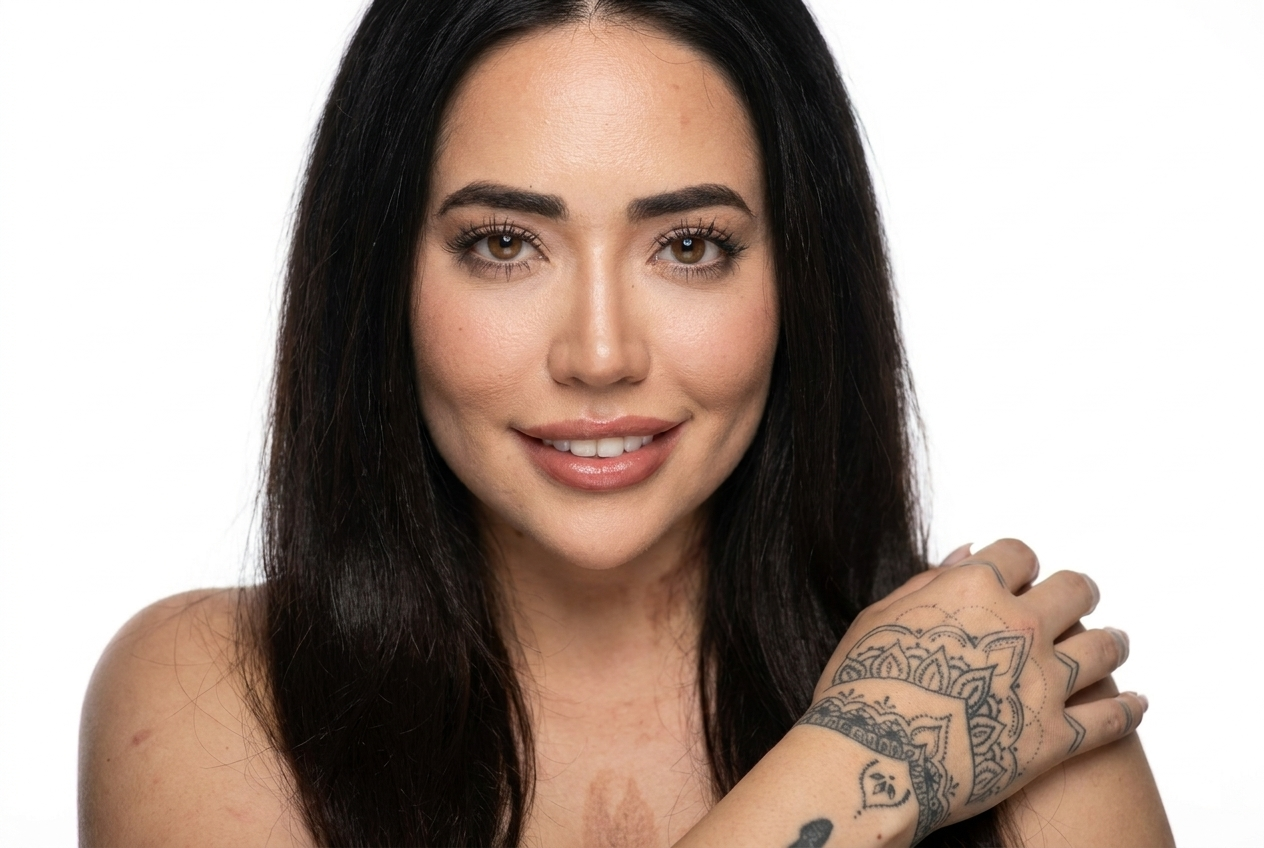
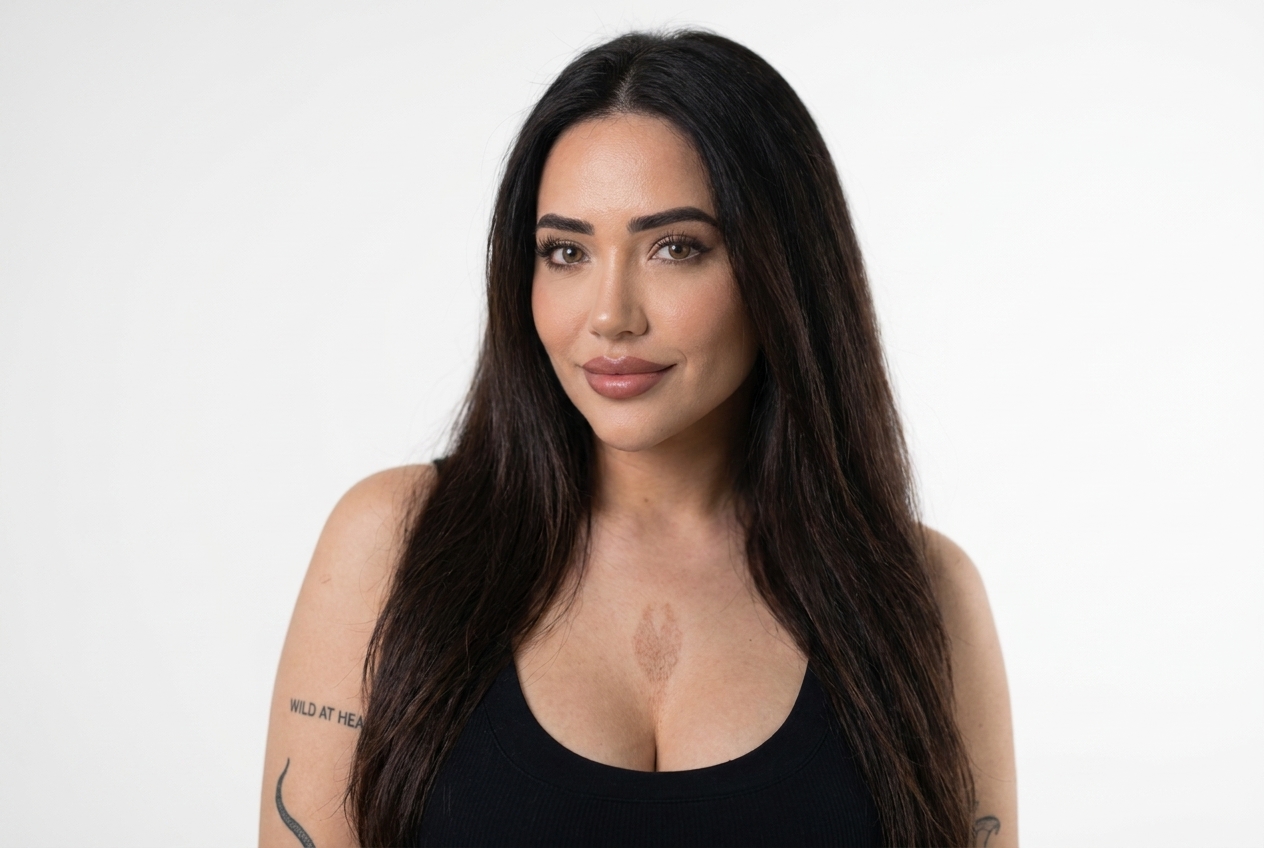
Using the identity reference sheets generated in Step 1, generate a collection of highly accurate portraits: professional, smiling, neutral, and across different lighting conditions. These portraits become the foundation for every future generation — the quality and consistency you achieve here directly determines the quality of everything downstream.
Portraits create the core likeness your talking avatars and dataset images will inherit. Rushing this step creates compounding quality problems later.
Variety
Build Your Dataset
Goal — teach AI how you look in different situations
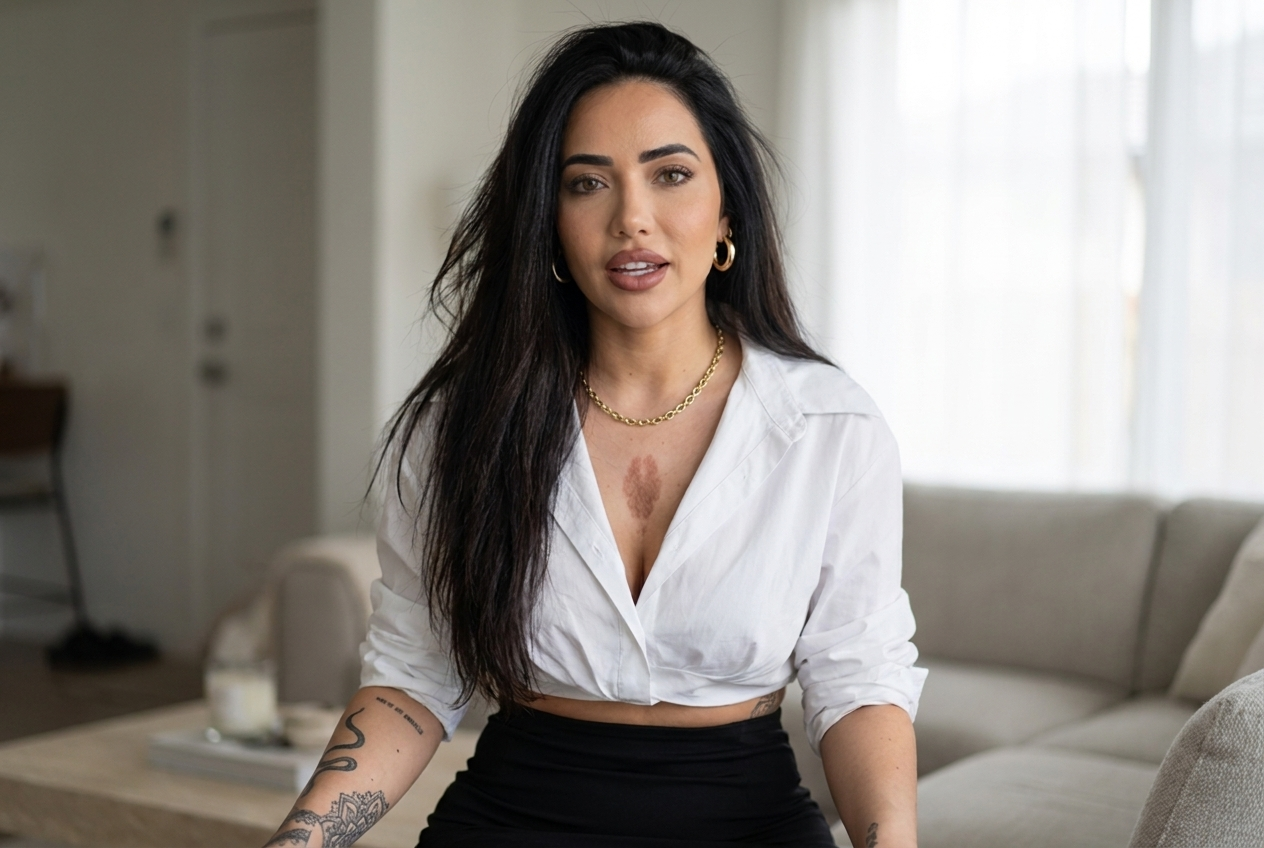
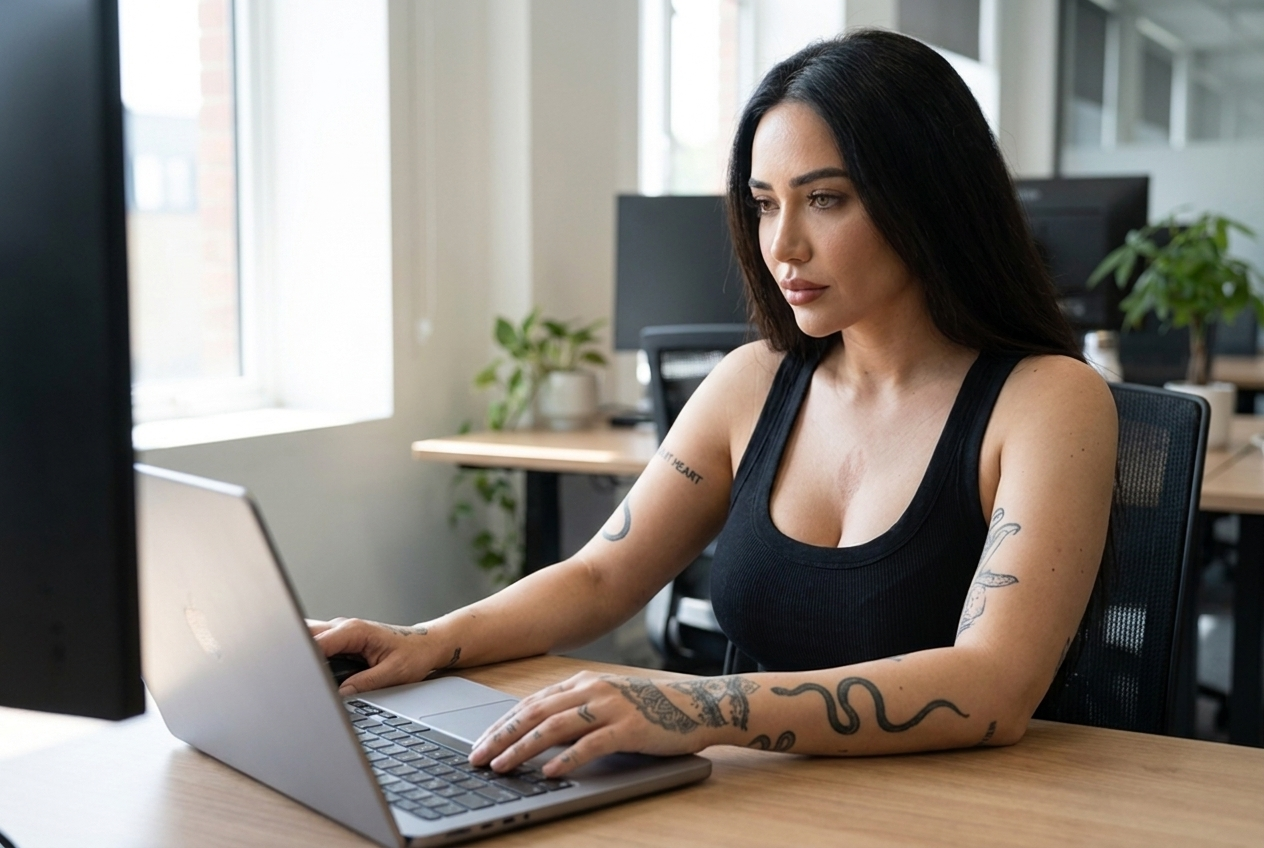
Using the reference sheets and portraits from Steps 1 and 2, generate approximately 10–20 images of yourself across different contexts: walking, working on a laptop, sitting in a coffee shop, talking to camera, standing confidently, using a phone, looking thoughtful. The more varied the dataset, the more flexible your clone becomes.
A single image creates a static character. A dataset creates a flexible one. The AI learns how you appear across multiple environments, poses, and situations — making your clone usable for far more content types.
Style
Add Style References
Goal — create visual variety while preserving identity
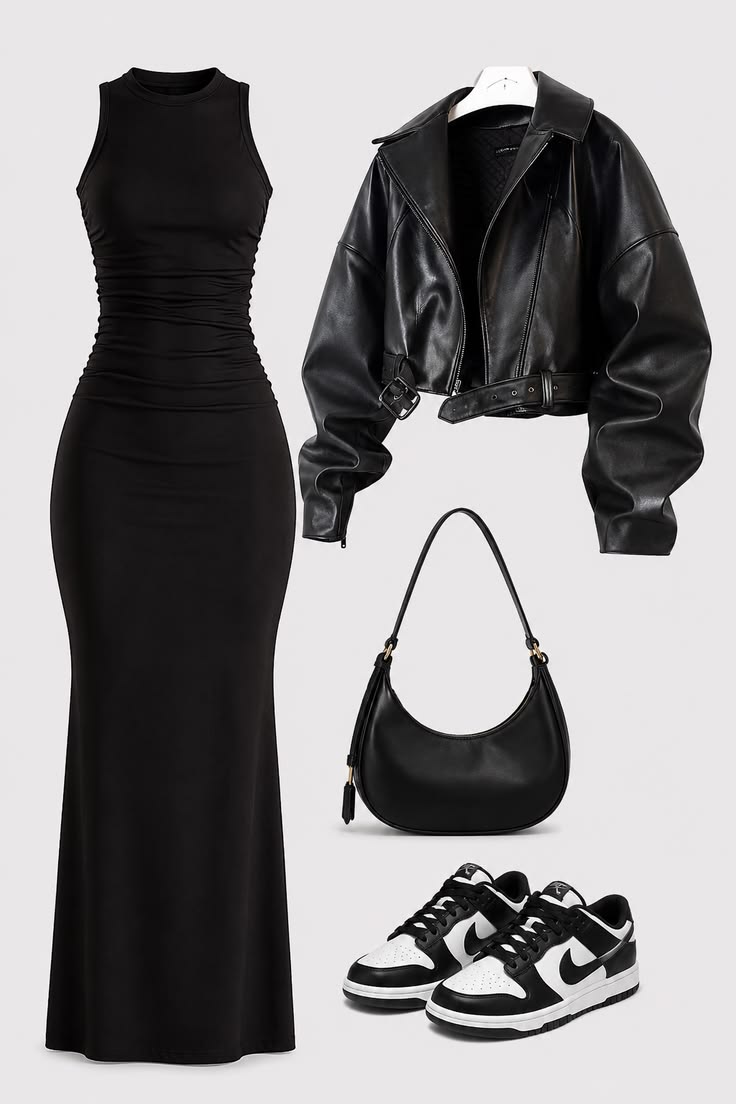
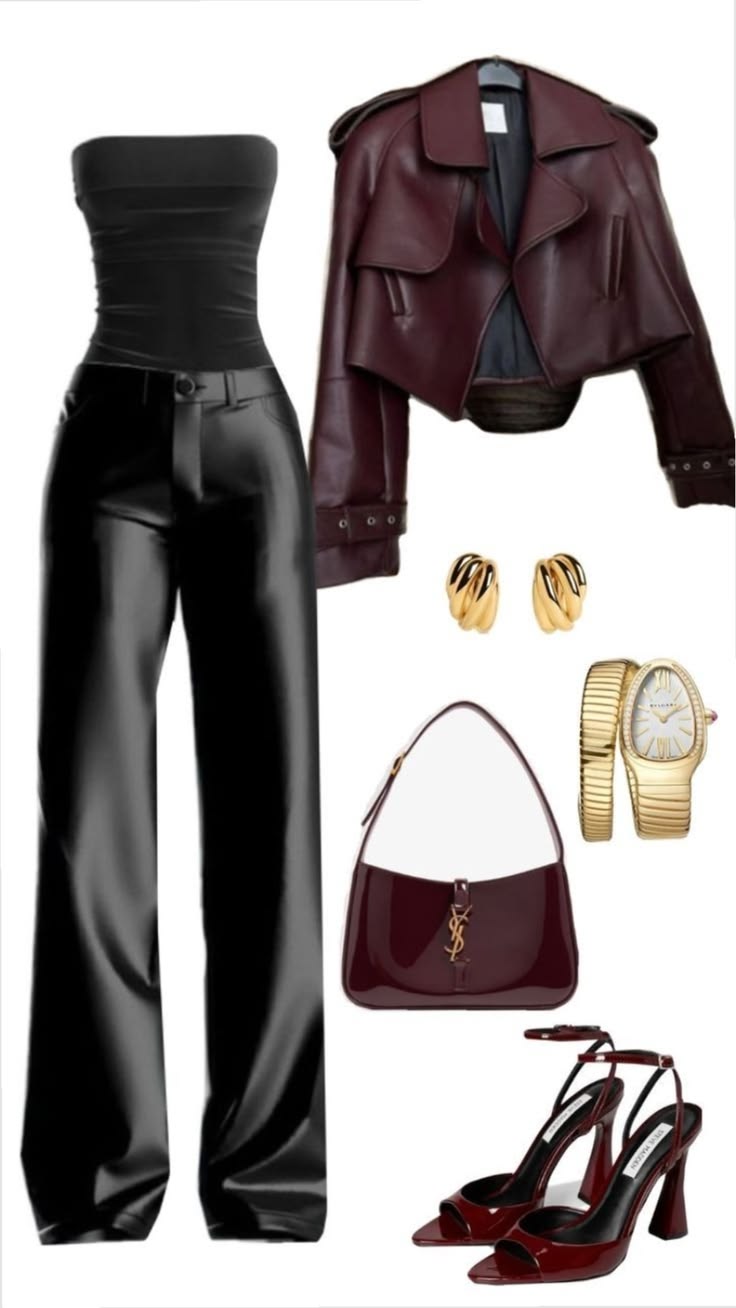
Collect outfit and style inspiration images from Pinterest — professional looks, casual looks, fashion references that match your personal style. Use these alongside your identity references when generating new dataset images. This prevents the AI from defaulting to repetitive clothing and environments across every generation.
Without style references, AI repeatedly generates the same aesthetic. Adding references creates a more realistic, versatile, and usable clone across different content themes.
Quality
Upscale Your Images
Goal — prepare your images for video generation
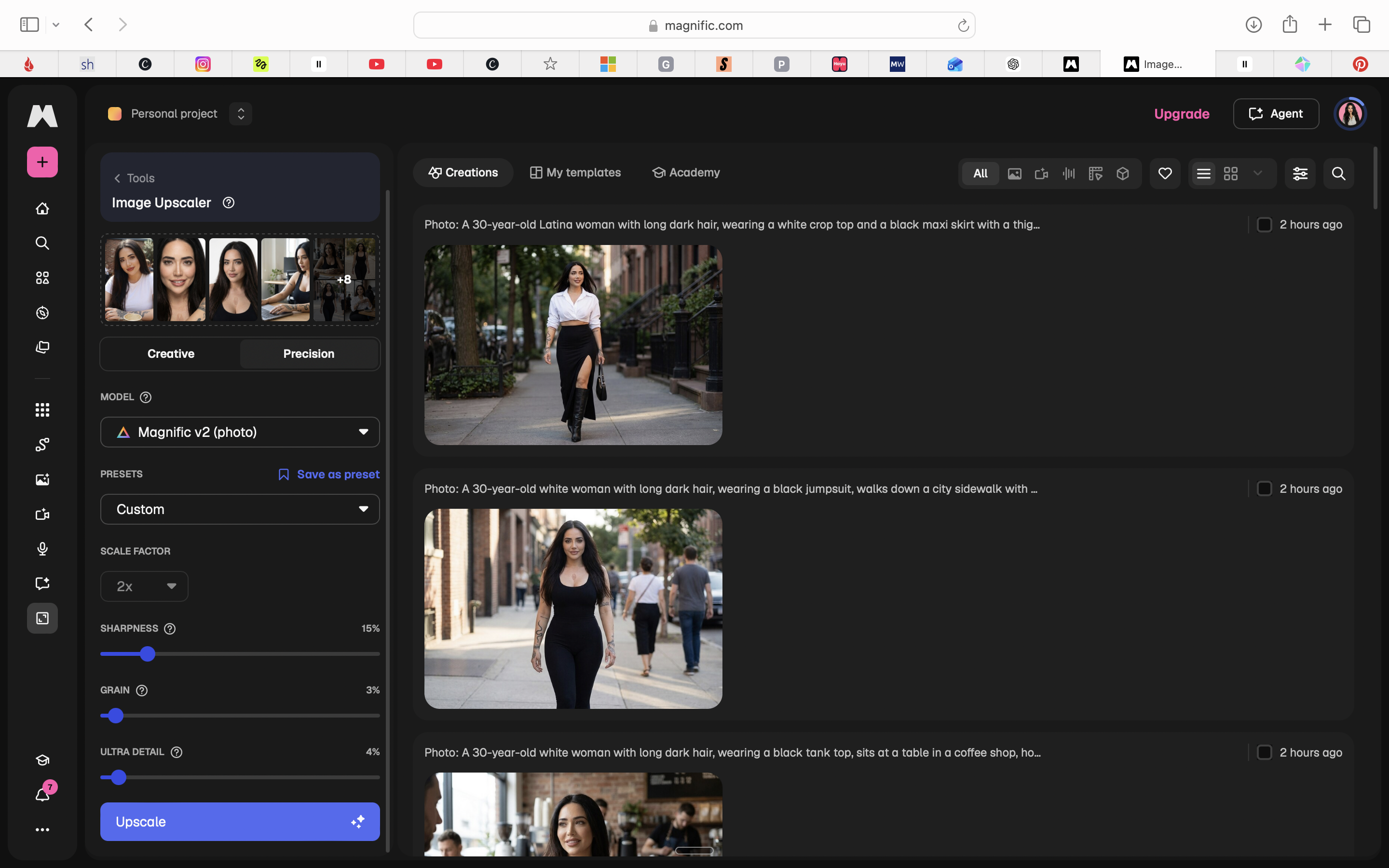
Take your best and most accurate portraits and dataset images through an upscaling process. Higher-resolution source images improve skin texture, facial detail, hair detail, and overall realism — and motion models like HeyGen and Higgsfield perform significantly better when working from high-resolution inputs.
Identity preservation is the priority here. Only upscale images where the identity is accurate. If the face has drifted, reject the image — don't try to upscale your way past a bad generation.
Voice
Clone Your Voice
Goal — create a digital version of your voice
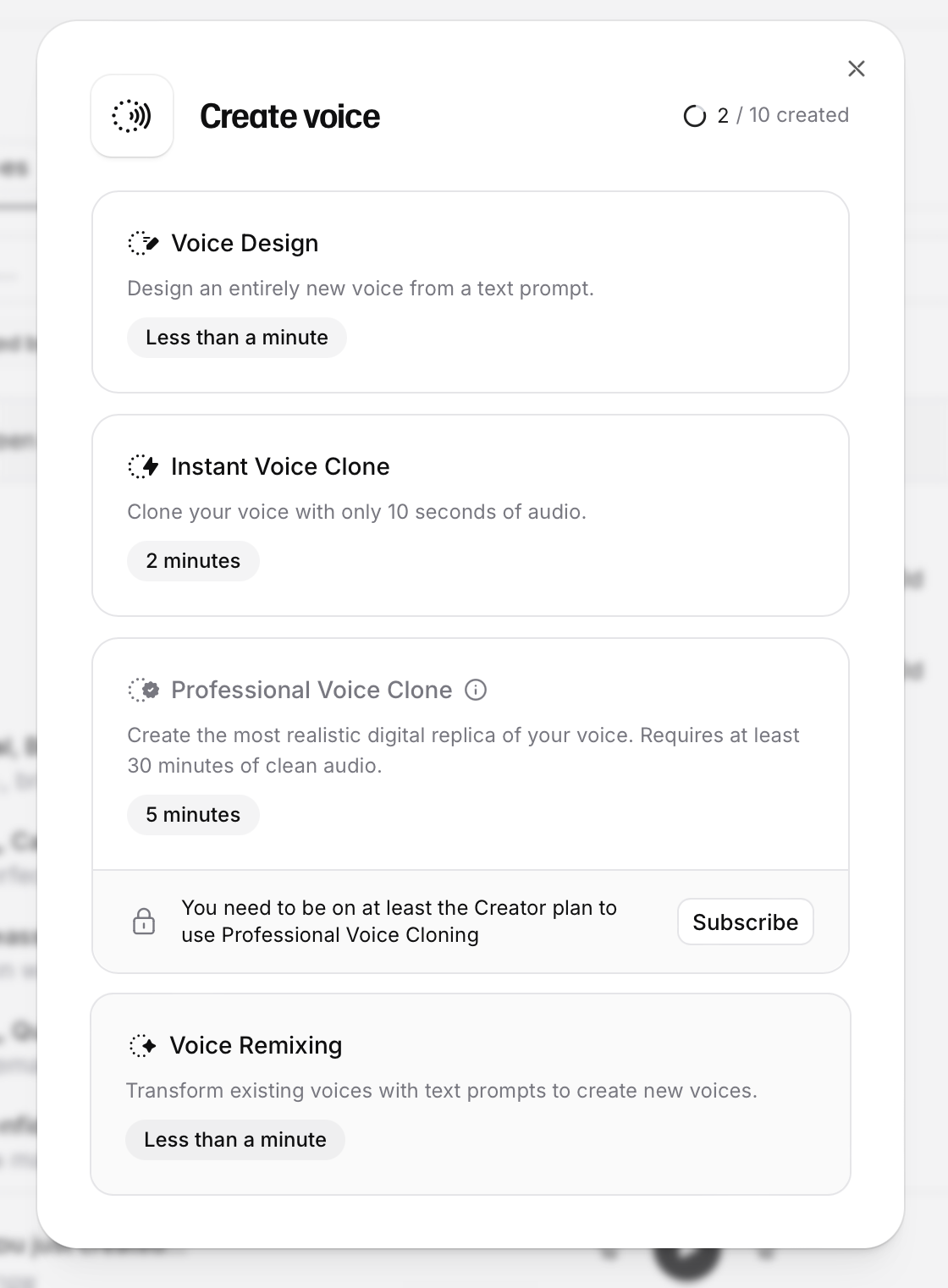
Record clear, clean audio and use it to build a voice clone model. Once built, you can generate any script in your exact tone, accent, and cadence without recording yourself again. The cleaner the source audio, the better the clone — background noise and poor quality microphones create noticeably worse results.
Your voice is one of the strongest signals of identity. A realistic voice dramatically improves the believability of your content. Without it, even a perfect visual clone feels uncanny.
Talking Content
Create Talking Avatars
Goal — create videos where your AI clone speaks your scripts
Upload your upscaled portrait images alongside your ElevenLabs audio and a written script to produce a talking avatar video — your face, your voice, your content. These are direct-to-camera talking head videos ready to use as-is or cut with B-roll. Output formats: TikTok, Instagram Reels, YouTube Shorts.
This is where the clone becomes content. Educational videos, tutorials, social media tips, personal brand content — all produced without you being on camera.
Movement
Create Movement Scenes
Goal — create supporting footage for your videos
Generate B-roll and lifestyle scenes using your dataset images: your clone walking, in a coffee shop, working on a laptop, in an office or studio setting. These scenes exist to be cut between your talking avatar clips — creating visual variety that improves retention and makes the final video look like it was filmed in multiple locations.
The most engaging videos are not a single talking head. Movement scenes create the visual interest that holds attention and makes content feel more produced.
Assembly
Assemble Your Content
Goal — combine all assets into a finished video
Bring everything together: talking avatar clips from HeyGen, movement footage from Higgsfield, voiceover audio from ElevenLabs, and captions — assembled into a finished vertical video. A typical structure moves between talking avatar, movement footage, lifestyle footage, talking avatar, and call to action. Final output publishes to TikTok, Instagram Reels, and YouTube Shorts.
One session of assembly produces content ready to publish across every platform. The same system repeats for every new video — without you picking up a camera.
The Blueprint showed you what to do.
The Starter Kit shows you exactly how to do it.
Every prompt, every setting, every workflow, every troubleshooting guide — so you can build this without spending months figuring it out through trial and error.
AI Clone Starter Kit
Build your AI clone without months of trial and error.
Get every prompt, setting, workflow,
and template I used to build a realistic AI clone.
No figuring it out yourself. No months of trial and error. Follow the exact implementation, step by step.
7 implementation modules
Clone Setup System
Exact photo requirements — how many, which angles, which to avoid, how to handle distinctive features. Includes Clone Setup Checklist.
Identity Creation Prompts
Exact prompts for all four identity reference sheets — face angles, full body, smiling, and neutral. Copy, paste, generate.
Portrait Creation System
Exact portrait prompts — identity lock, studio, lifestyle, smiling, and realism enhancement. Create portraits that actually look like you.
Dataset Creation System
Walking, coffee shop, laptop, talking-to-camera, lifestyle and brand-specific environment prompts — plus a Dataset Planner so you know exactly what to generate and how many.
Magnific AI Settings
Exact upscaling settings — mode, model, scale, sharpness, grain, and export format. Plus the Identity Preservation Guide to prevent face drift, changed eyes, and tattoo loss.
Voice Clone System
ElevenLabs setup — audio requirements, Instant vs Professional clone guide, recording tips, quality evaluation, and ready-to-use content script templates.
HeyGen Talking Avatar System
The complete workflow: image → voice → script → video. Includes the ElevenLabs API connection step, Photo Avatar setup, 9:16 framing guide, and your first avatar challenge.
+ 2 bonuses included
Your price today
$28
One-time payment · Instant digital delivery · No subscription
⚡ Instant digital delivery · Questions? Email me here
An AI clone is not the goal. An AI clone is a tool.
The goal is creating more content, growing your audience, generating more leads, and building a business that doesn't depend on you filming every piece of content yourself.