Insta Profit System
Stop posting on Instagram for free. Start turning those same posts into $100+ daily income.
Build Your AI Clone
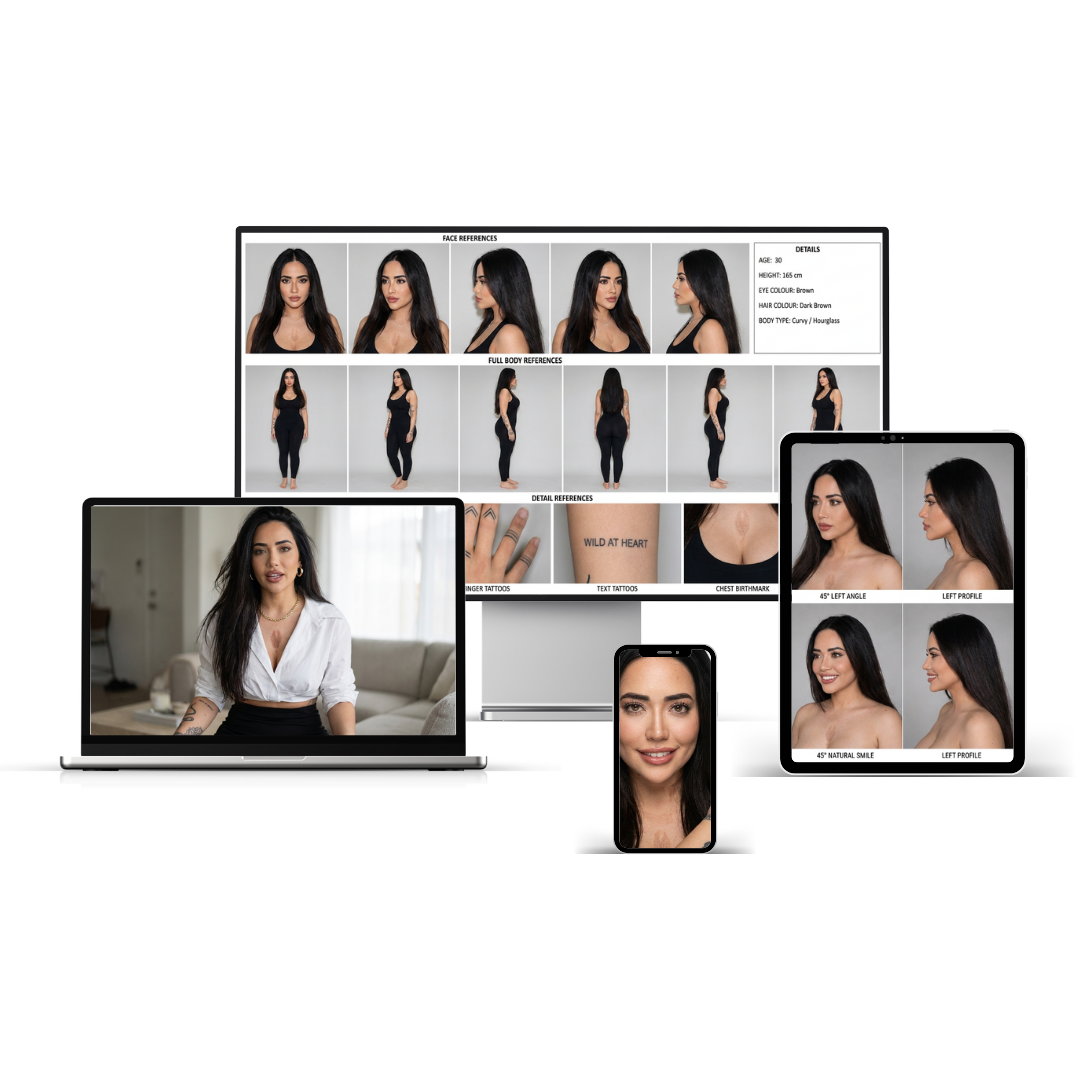
The exact prompts, settings and workflows to build a realistic AI version of yourself — from identity references to talking avatar videos.
— Creator, built her first AI clone with this system
-
★
7 Implementation ModulesThe Complete AI Clone System
From gathering your photos to generating your first talking avatar video — every step, every prompt, every setting. M01 through M07, fully documented.
-
✓
M01–M04 · Identity & Dataset
Exact photo requirements, identity reference prompts, portrait creation prompts, and a full dataset creation system with brand-specific environment guide.
-
✓
M05 · Magnific AI Settings
Exact upscaling settings — mode, scale, sharpness, grain — plus the Identity Preservation Guide to prevent face drift, changed eyes, and tattoo loss.
-
✓
M06 · Voice Clone System
ElevenLabs setup from scratch — audio requirements, Instant vs Professional clone guide, quality evaluation, and ready-to-use content script templates.
-
✓
M07 · HeyGen Talking Avatar System
The complete image → voice → script → video workflow. Includes the ElevenLabs API connection step most tutorials skip, avatar setup, and 9:16 framing guide.
-
✓
Bonus 1 · AI Clone Prompt Vault
20+ expansion prompts across environments, outfits, expressions and lifestyle scenes — to keep generating new content long after the core system is built.
-
✓
Bonus 2 · Troubleshooting Guide
Fixes for every common problem — identity drift, disappearing tattoos, robotic voice, blank HeyGen videos, bad lip sync and wrong aspect ratios.
Complete your order
Enter your details below. Instant access to the AI Clone Starter Kit — all 7 modules and both bonuses delivered to your inbox.

-
01
Instant access
Your Notion workspace with all 7 modules and both bonuses is delivered to your inbox the moment your order completes.
-
02
Start with Module 01
Duplicate the Notion workspace, open M01 — Clone Setup System, and follow the checklist to gather and organise your photos. The whole system is step-by-step from there.
-
03
Build your first talking avatar
Work through M01–M07 in order. By the end of Module 07, you'll have a working AI clone that can speak your scripts in your voice.
- ★ 7 implementation modules — M01 through M07
- M01 · Clone Setup System — exact photo requirements
- M02 · Identity Creation Prompts — 4 reference sheet prompts
- M03 · Portrait Creation System — 4 portrait prompts + realism add-on
- M04 · Dataset Creation System — 6 scene categories + brand environment guide
- M05 · Magnific AI Settings — exact settings table + identity preservation guide
- M06 · Voice Clone System — ElevenLabs setup + script templates
- M07 · HeyGen Talking Avatar System — full workflow including API connection
- Bonus 1 · AI Clone Prompt Vault — 20+ expansion prompts
- Bonus 2 · Troubleshooting Guide — fixes for every common problem
- Lifetime access · No recurring fees